
LeaveTime
LeaveTime: Know when to leave for your flight.
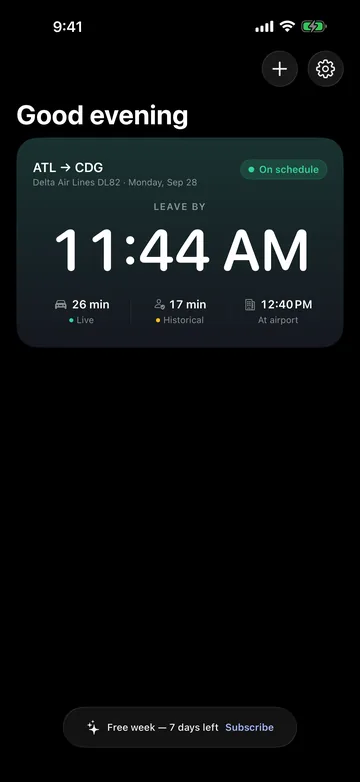
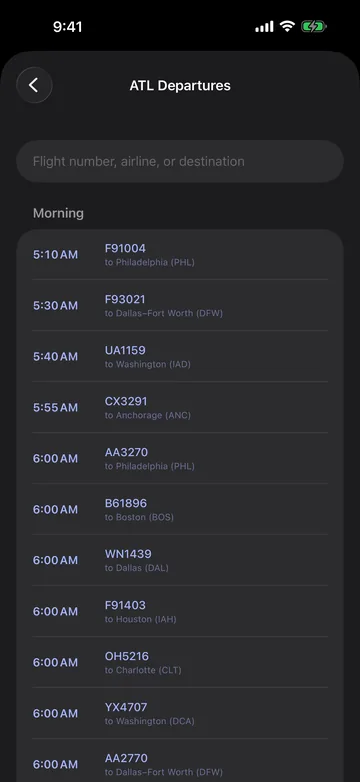
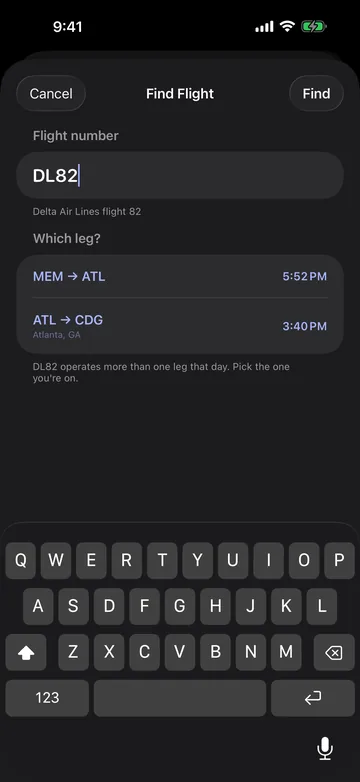
Pick your flight from your airport’s departures board. LeaveTime works backward from the gate through the walk, security, parking or drop-off and the drive to one LEAVE BY time, and alerts you when traffic, delays or gate changes move it.
Free for your first week, then LeaveTime Pro at $9.99 a year, billed by Apple · Requires iOS 26 or later.
Why it exists
Traffic, security lines, parking, terminal trains and the walk to the gate all add time, so leaving for a flight often comes down to a guess. LeaveTime adds them up and shows where each minute comes from.
What it does
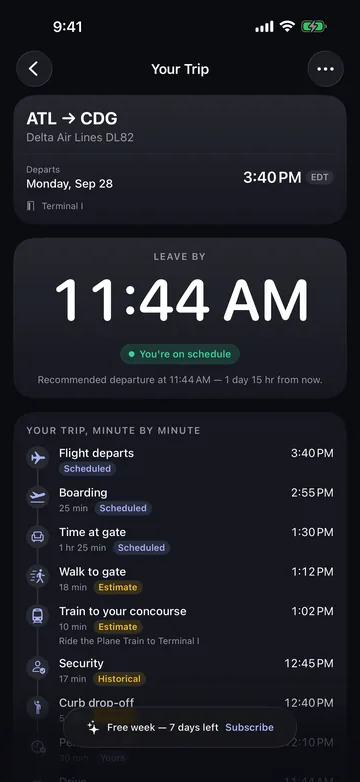
Every minute, labelled
Tap a trip for a minute-by-minute timeline. Each step names its source, such as Live, Historical or Estimate, and estimates never pass as live.
Hard deadlines first
LeaveTime plans backward from bag-drop cutoffs and gate-close times. An optimistic estimate can never push the plan past one.
Live waits where published
Live checkpoint waits come from about 10 airports that publish them, with TSA PreCheck and CLEAR lanes kept separate. Others use labelled historical estimates.
Knows the airport
Terminal trains, shuttles and rental-car returns at about 15 major hubs, such as the ATL Plane Train, are counted and labelled Estimate.
On your Lock Screen
Near departure, a Live Activity shows the leave time on the Lock Screen and Dynamic Island. Check a Home Screen widget or ask Siri.
No account, no ads
There are no analytics in the app either. Trips are stored only on your iPhone, and location is used only for driving time.
Screens
Screens from the app · scroll for more
- Availability
- On the App Store
- Platforms
- iPhone
- Requirements
- Requires iOS 26 or later.
- Price
- Free for your first week, then LeaveTime Pro at $9.99 a year, billed by Apple
- Website
- praptiyogi.app/leavetime
- App Store
- View listing
- Support
- Support page
- Privacy
- Privacy policy
- Terms
- Terms of use
- Contact
- info@praptiyogi.app