RTR Control
RTR Control: Route the show. Roll the decks.
RTR Control routes video matrices from a crosspoint grid or an X-Y view, runs a rack of Blackmagic HyperDecks as one group, and copies their clips to a server, checksummed before any card is erased.
14 days free, then $99 a year; one licence covers two Macs · Requires macOS 15 or later, on Apple silicon or Intel. A Windows app is coming soon.
Why it exists
In live production, you need to know which source feeds which output, which decks are recording and which clips are safely on the server. RTR Control shows what each device actually answered.
What it does
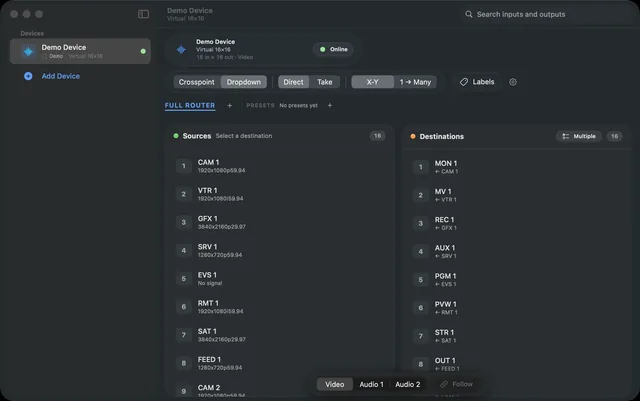
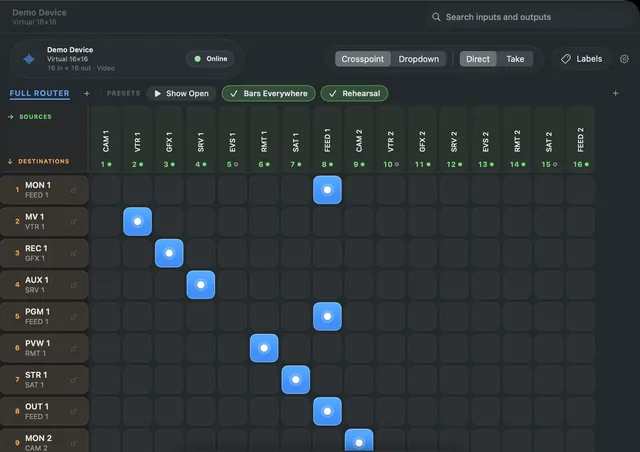
Crosspoint or X-Y
Route matrices from 12×12 to 512×512 on a crosspoint grid or X-Y Dropdown view, with a virtual panel for each operator.
Take, presets, locks
Stage changes and cut them together with Take, use presets that show when they are active, and lock critical outputs.
HyperDeck groups
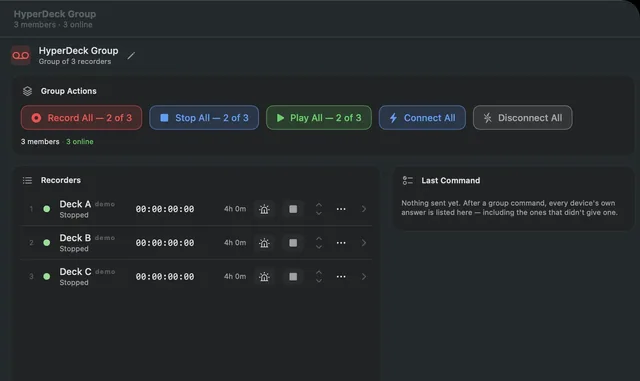
Record All and Stop All report back deck by deck, and a deck that did not respond is never shown as recording.
Verified offload
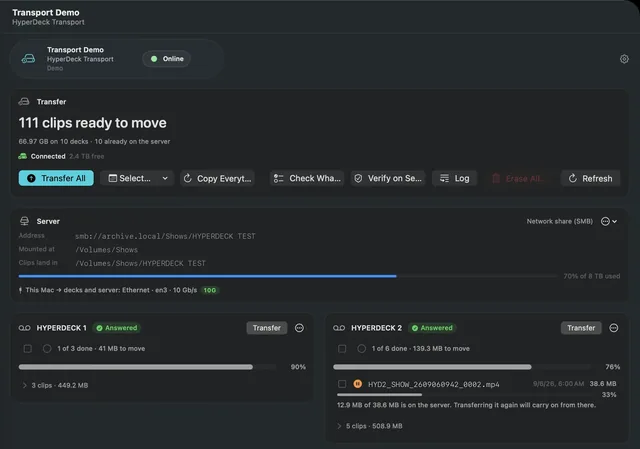
Transport copies clips off up to ten decks at once to any share Finder can mount, then reads every clip back and checksums it.
Routers, decks, cameras
Talks directly to Blackmagic Videohub, HyperDeck, ATEM and Teranex AV2, Lightware MX2, Ross Ultrix, Evertz Quartz, AJA KUMO, and VISCA and Panasonic PTZ cameras.
Rehearse without gear
Every device class has a simulator, and a whole rig exports as one .rtrconfig file that is previewed before import.
In practice
Route on air
Stage a set of changes with Take and cut them together. Presets show when the router matches them, and locks keep critical outputs where they are.
Roll every deck
Record All starts the whole HyperDeck group from one button. Each deck answers for itself, and one that did not respond is never shown as recording.
Offload, then erase
When the show is over, Transport copies the clips to a server share, reads each one back and checksums it. A deck can only be erased once every clip on it is verified.
Screens
Screens from the app · scroll for more
- Availability
- Available
- Platforms
- Mac
- Requirements
- Requires macOS 15 or later, on Apple silicon or Intel. A Windows app is coming soon.
- Price
- 14 days free, then $99 a year; one licence covers two Macs
- Website
- rtrcontrol.com
- Download
- rtrcontrol.com/download
- Support
- info@praptiyogi.app
- Privacy
- Privacy policy
- Terms
- Terms of use