Hindsight Replay
Hindsight Replay: Edit live before it goes live.
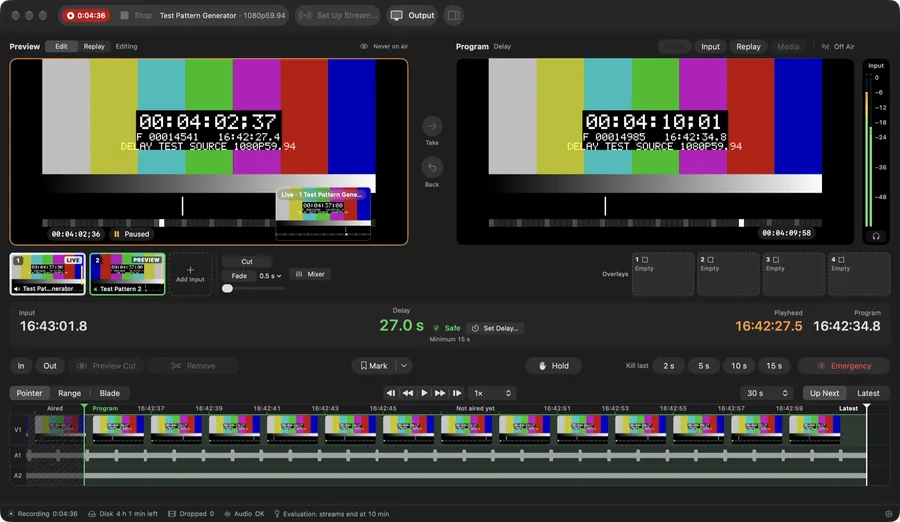
Hindsight Replay switches and records your inputs, runs instant replay and streams. With Program held behind Live, you can scrub what has not aired yet and remove a mistake before the audience sees it.
Free while in beta (the beta build ends streams after 10 minutes), then a paid licence per Mac at a price not yet announced · Requires macOS 15 or later, on Apple silicon or Intel; Apple silicon recommended.
Screens are from version 0.3.5.
Why it exists
Live video gives no second chance: once a mistake reaches the stream or the room feed, the audience has seen it. Hindsight Replay can hold Program a set time behind Live, so there is time to take it out first.
What it does
Safety-window editing
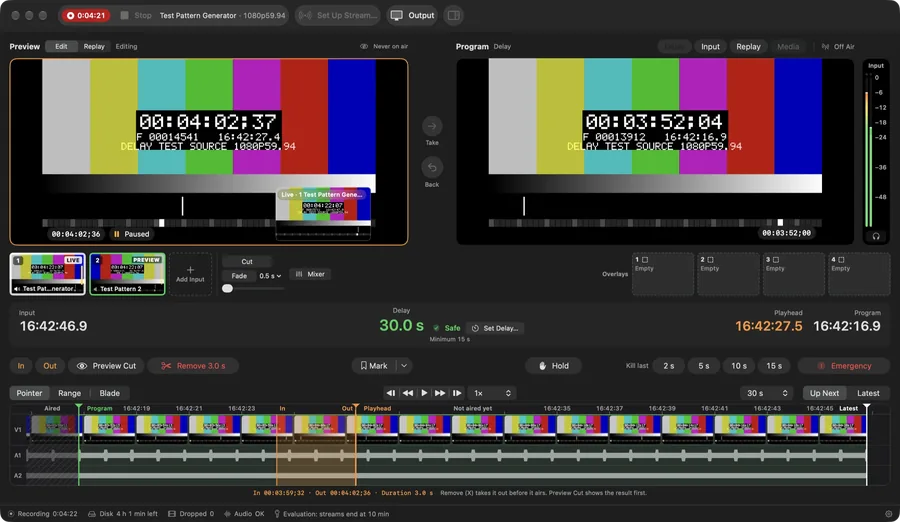
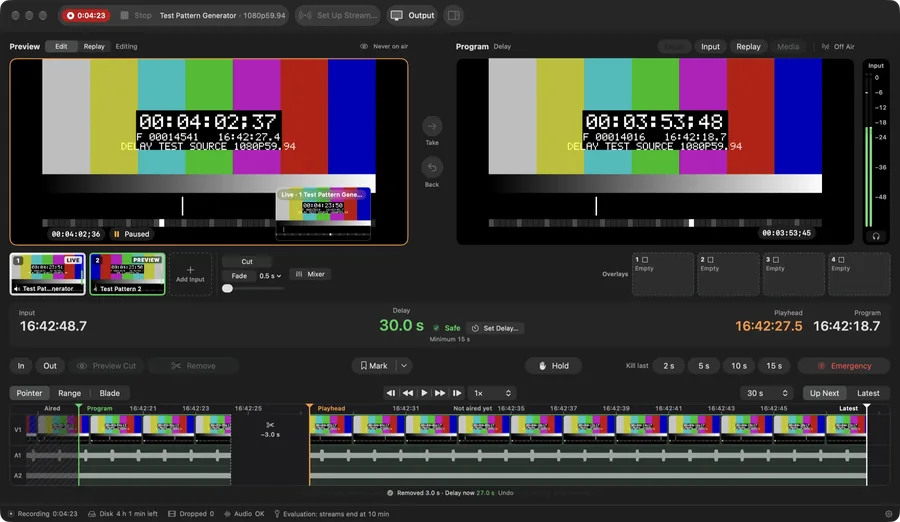
In Edit mode, set In and Out around a mistake and press Remove: Program skips the cut and the delay shrinks by that length.
Broadcast delay
Presets run from 10 seconds to 30 minutes, custom up to 2 hours, and a minimum delay stops Program catching up with Live.
Instant replay
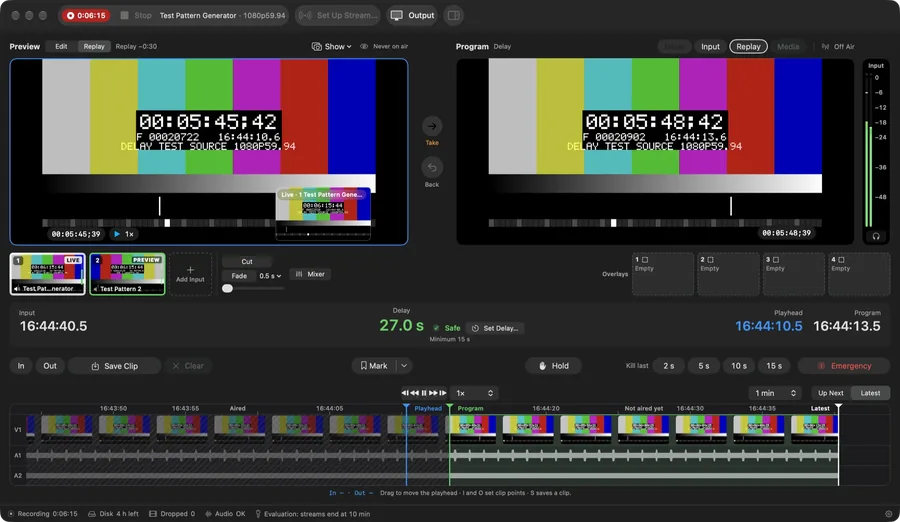
Replay any switcher camera: shuttle from −4× to 8×, loop In to Out, step frames and add markers while capture continues.
Switcher and mixer
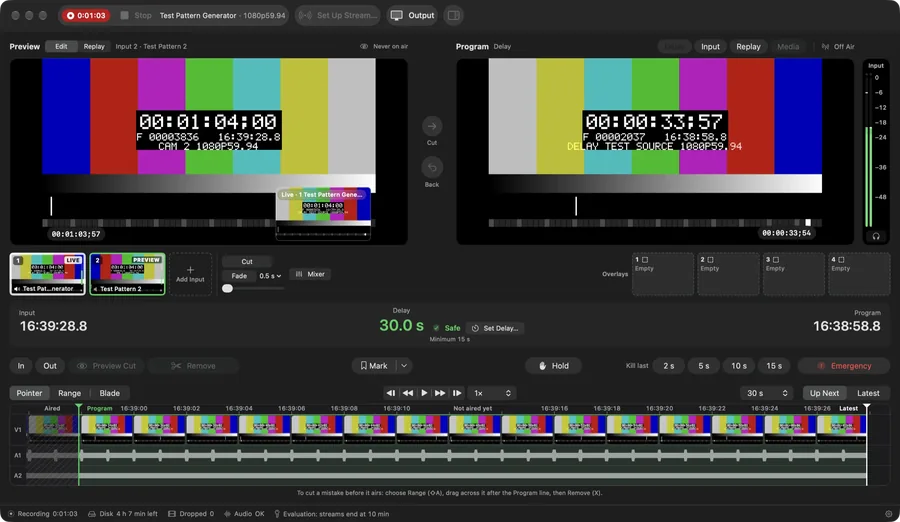
Up to eight inputs as live tiles, with Cut, Fade, Dip, Wipe, Slide, Zoom or a manual T-bar, an audio mixer and four overlays.
Full and Program recording
Records continuously in ProRes, or all-intra HEVC or H.264, plus a frame-exact recording of what the audience received, and saves clips without re-encoding.
YouTube and RTMP streaming
Send Program to YouTube Live and any RTMP/RTMPS server, several at once, with hardware encoding, dropped-frame readouts and automatic reconnect.
In practice
Switch the show
Bring in sources through Blackmagic DeckLink or UltraStudio, AJA U-TAP, USB capture devices, HLS streams or NDI, and cut between up to eight of them in one window. Two built-in test patterns let you try every workflow without capture hardware.
Replay any angle
Every switcher camera is recorded, so any moment can be replayed from any angle. Shuttle from −4× to 8×, loop and step frames while capture keeps running, then save a frame-exact clip without re-encoding.
Fix it in the delay
Turn on Program Delay in Settings and Program runs a set time behind Live, anywhere from 10 seconds to 2 hours. Press E, mark a mistake with I and O, press X, and Program skips it while the full recording keeps every frame.
Screens
Screens are from version 0.3.5. · scroll for more
- Availability
- Free beta
- Platforms
- Mac
- Requirements
- Requires macOS 15 or later, on Apple silicon or Intel; Apple silicon recommended.
- Price
- Free while in beta (the beta build ends streams after 10 minutes), then a paid licence per Mac at a price not yet announced
- Website
- hindsightreplay.com
- Support
- Support page
- Privacy
- Privacy policy
- Terms
- Terms of use
- Contact
- info@praptiyogi.app