

Ghar Mandir
Ghar Mandir: The home mandir’s daily puja, step by step.
Ghar Mandir runs your home mandir’s puja as routines on an iPhone or iPad, from lights on, through aarti, thal and bhajans, to daytime lights. It works in English or Gujarati and needs no account.
Not released yet. The current build targets iOS and iPadOS 17 or later.
Why it exists
A home mandir’s puja follows the same order every day: lights, aarti, thal, bhajans. Running it by hand means finding each recording and changing the lights at every step.
What it does
Puja in order
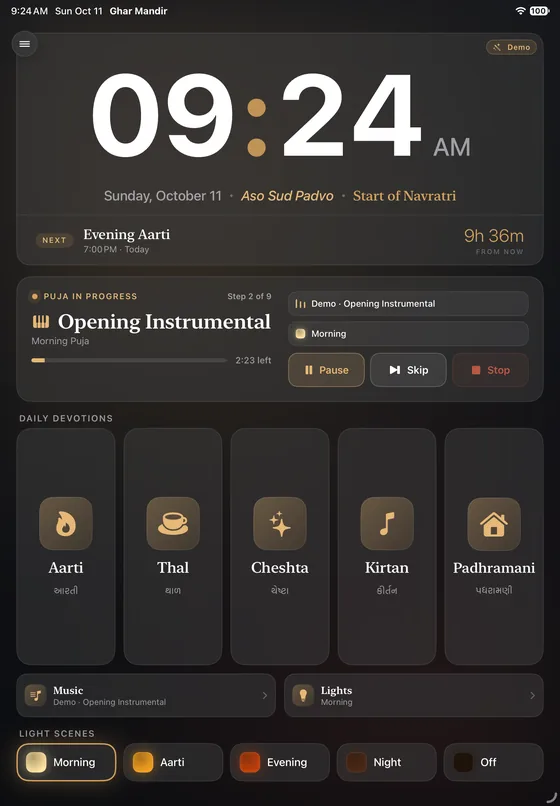
Routines step through audio and light scenes in order, and Maha Puja waits at two steps until you tap Continue.
Daily Devotions
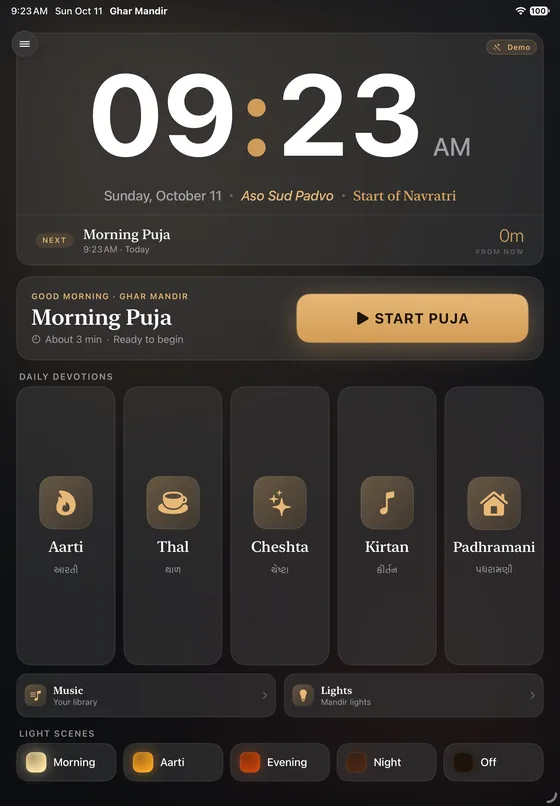
One-tap tiles for Aarti, Thal, Cheshta, Kirtan and Padhramani each play that kind of recording with a matching light scene.
Tithi under the clock
The Home screen shows the day’s BAPS tithi, festivals and fast days for 2026, with a countdown to the next routine.
Apple Home scenes
Link any scene from the Home app to one of 10 mandir scenes, and routines run it while Ghar Mandir is open.
Two schedules
Morning Puja and Evening Aarti start by themselves at the times and days you set, but only while Ghar Mandir is open on screen.
Your own recordings
Import MP3, M4A, WAV or AIFF files, including from iCloud Drive, and the app guesses each one’s category from its name.
Screens
Screens from the app · scroll for more
- Availability
- In development
- Platforms
- iPhone · iPad
- Requirements
- Not released yet. The current build targets iOS and iPadOS 17 or later.
- Website
- praptiyogi.app/gharmandir
- Support
- info@praptiyogi.app
- Privacy
- Privacy policy